
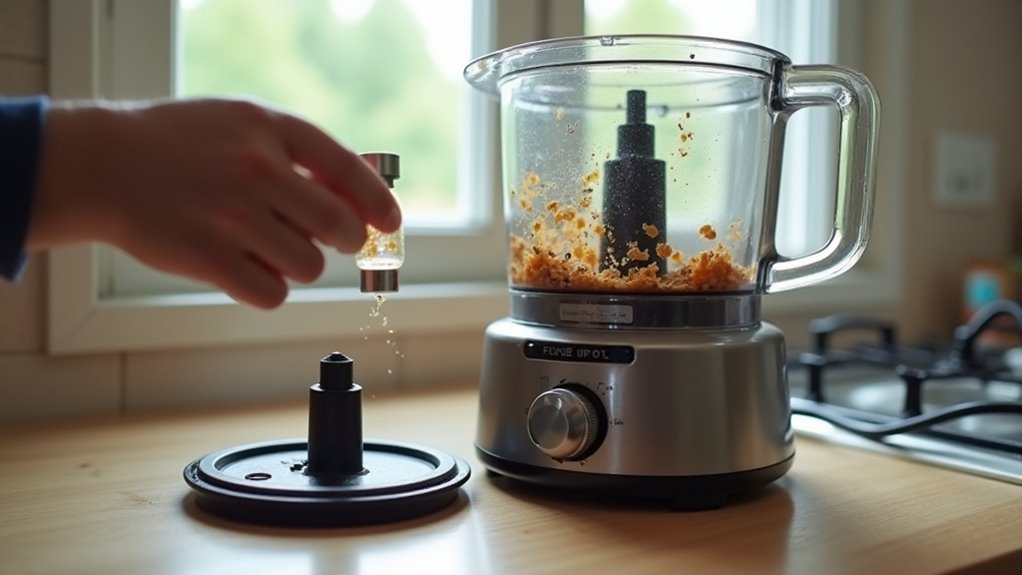
A food processor can stop because of simple electrical or safety interlocks, mechanical jams, motor overheating, or worn internal parts. Common quick fixes include checking the power source, confirming the lid and bowl are securely locked, and clearing any food jam. Motors have thermal protection that can cut power during heavy use and reset after cooling. Worn gears or brushes produce intermittent failure and require repair or replacement. Troubleshooting step-by-step narrows the cause and gets the machine back in service fast.
Why Won’t My Food Processor Turn On?
When your food processor won’t turn on, start with the safety locks, because that’s the most common fix and it can save you a lot of worry. Check the safety interlock first. You need the bowl and lid rotated until they click, and some models also need the food pusher in place.
Should the unit still stay silent, look at the LED diagnostics, should your model have them, because they can hint at where the problem sits. Next, inspect the cord and plug for damage, burns, or looseness.
Should the lights glow but the motor stays still, you might be contending with a switch, capacitor, motor, or thermal protector issue. You can also hear slipping, chattering, or a jammed blade when gears or the drive coupling fail.
Check the Power Source First
Start with the outlet, because a dead power source can make a healthy food processor seem broken. You’re not alone here; many kitchen headaches start with simple power checking and outlet troubleshooting. Plug in another device, or examine the GFCI and circuit breaker. Should the lights stay off, move the processor to a known-good outlet. Then inspect the cord and plug for cuts, kinks, or burn marks. Should you see scorch marks, the base could need professional replacement. Should the display lights up but the motor won’t run, unplug it for 10 minutes, then try again. | Check | What to do |
| — | — |
|---|---|
| Outlet | Try with another device |
| Cord | Look for damage |
Should it still won’t start, let it cool 30 to 60 minutes and press any reset button.
Fix Lid and Bowl Alignment Issues
Should the power source look fine but your food processor still sits there in silence, the problem could be the lid or bowl not locking in quite right. You can fix this by reseating both parts until you hear a clean click.
Initially, line up the bowl handle channel with the base and turn it firmly clockwise. Then fit the lid so the locking tab meets the safety interlocks in the right order. Suppose the parts look aligned but still won’t start, remove the disc and check disc orientation, plus any crumbs that block seating.
Next, inspect the plastic tabs and posts for cracks or wear. Provided the switch only works when you press the lid, the interlock could be failing, and you might need service.
Clear Jams and Overfilled Bowls
Whenever your processor jams, unplug it initially and clear out the lodged food with the pusher or a brush, not your hands.
Provided the bowl is packed too full, especially with dense food, the motor can strain, overheat, or stop in just a few minutes. You can keep it running smoothly through cutting big pieces down and working in smaller batches.
Remove Food Jams
A jammed food processor can feel like a sudden roadblock, but you can usually clear it safely and get things moving again. Start with safety alerts: unplug it initially, then check for large chunks or fibrous pieces that need pre-cutting. In case food grips the blade, use the food pusher or a wooden utensil through the feed tube, never your fingers. Should the bowl feel packed, trim the load before restarting.
| Jam Clue | Gentle Fix |
|---|---|
| Blade won’t spin | Unplug and inspect |
| Motor hums | Clear trapped food |
| Bowl feels heavy | Remove extra food |
| Food sneaks under blade | Lift blade and clean |
| Restart feels rough | Cool, then pulse |
Keep this maintenance checklist close, and you’ll feel less alone whenever a meal goes sideways.
Avoid Overfilled Bowls
An overfilled bowl can turn a simple prep task into a noisy stall fast, so it helps to keep an eye on how much you load at once. Whenever you go past the bowl capacity, you ask the motor to work too hard, and that extra strain can trip thermal overloads.
Should you add nuts, dough, or big chunks, you might also jam the blade or feed tube and hear that sick humming sound no one wants at dinner prep. Use smaller batches, and pulse in short bursts to keep things moving.
Always use the pusher, not your hands, and pre-cut large pieces before they go in. In the event the processor stops, unplug it, clear the packed food, and wait for the motor to cool. Follow safety warnings, and you’ll protect both your machine and your kitchen rhythm.
Watch for Thermal Overheating Shutdown
Should your food processor suddenly quit in the middle of a tough job, don’t panic, because thermal overload protection could have kicked in to protect the motor. You’ll often see this after 2 to 5 minutes of hard work on dough, nuts, or frozen foods.
The base might feel hot, and you could smell a warm electronics scent from the vents. Lights can flash or reset too. To start, unplug it, empty the bowl, and let the motor cool for 30 to 60 minutes.
In case your model has a reset button, press it after cooling. For better motor cooling, use smaller batches, pulse instead of running nonstop, and keep vent maintenance simple by clearing the slots.
Should this keep happening, your unit could need service.
Inspect the Drive Coupling for Damage
Next, inspect the drive coupling, because this small part can stop the whole machine once it wears out.
Unplug the processor, remove the bowl and blade, then use inspection tools to check the underside of the blade hub, the bowl spindle, and the coupling. Look for rounded teeth, cracks, missing chunks, smooth edges, or extra play.
Should you hear humming, slipping, or chattering, or notice fine plastic dust or a burnt smell, the coupling could be slipping. Turn it by hand; in case it spins freely or feels loose on the motor shaft, you need coupling replacement.
Clean away grease and food debris beforehand, then fit the correct model-specific part. Skip adhesive fixes, since they typically fail at the moment you need the machine most.
Look for Worn Belts or Stripped Gears
Provided your food processor motor runs but the blade barely moves, you might be contending with a worn belt or stripped gears.
A slack belt can slip and squeal, while damaged gear teeth can leave you with weak or uneven power transfer.
Check for frayed belts, rounded teeth, or plastic dust, and replace any model-specific parts that look worn rather than attempting a quick fix.
Worn Drive Belts
Worn drive belts are a sneaky reason your food processor could power on but still refuse to work the way it should. Whenever belt tension drops, the motor spins, but the blade doesn’t get enough pull. That gap can come from rubber aging, hard-food jams, or heavy use with dough and nuts.
| Sign | What you could notice |
|---|---|
| Slipping | The blade turns on and off |
| Noise | You hear squealing or a high pitch |
You can check it safely by unplugging the unit, removing the bowl and blade, then spinning the motor shaft by hand. Look under the spindle for a loose belt or belt dust. Should you spot fraying, cracking, or missing tension, replace the model-specific belt soon. You’ll keep your machine in the group and avoid more damage.
Stripped Gear Teeth
Stripped gear teeth can show up just as quietly as a worn belt, but the result feels a lot more dramatic because your food processor could sound alive while the blades barely move. You might hear slipping or chattering, and the motor can keep running while nothing spins.
That often means plastic fatigue or worn metal has pushed past the torque limits, especially after ice, bone, or unpitted seeds jammed the drive. In case you unplug the unit, remove the bowl and blade, then check the hub, coupling, and gearbox, you may spot rounded teeth, missing pieces, powder, or loose play on the shaft.
Repair usually means replacing the damaged part, since gluing won’t hold. To protect your machine, pulse in short bursts, clear jams fast, and stop at any grinding.
Gear Replacement Signs
A food processor that still hums but leaves the bowl attachments sitting still usually points to a drive problem, not a dead motor. You can save yourself stress by checking the usual replacement indicators before the next batch. Start with a coupling inspection, then look for slack, cracking, or missing teeth.
- Listen for slipping, chattering, or a harsh grind.
- Check for plastic dust or a burning smell.
- Spin the blades by hand with the bowl off; easy turning indicates trouble.
- Watch for wobble, rounded teeth, or a smooth, stripped edge.
If you hit a pit, bone, or ice, the plastic coupling or gears could shear. These parts are cheap, but they must match your model.
Substitute them before you cook again, and you’ll keep your kitchen crew running safely.
Look for Base and Cord Problems
Assuming your food processor stays completely silent, start checking the base and cord prior to you assume the whole machine is done for.
Initially, plug a known-working device into the outlet, or try another outlet, to rule out a bad socket or GFCI trip.
Then inspect cord integrity closely. Look for cuts, kinks, burn marks, exposed wires, or loose prongs, because small damage can cut power fast.
During base diagnostics, observe whether the cord is molded and nonreplaceable; when it’s been pulled, pinched, or chewed, internal wiring could be broken.
In case the lights work but the motor won’t turn, the base might hide a blown fuse or failed component. Unplug it, wait ten minutes, then check again.
Should you smell burning, get help soon.
Check the Power Switch and Control Knob
Next, check the power switch and control knob, because a tiny fault here can leave the lights on while the motor stays quiet. You’re not alone in this fix, and a few careful checks can save you a lot of guesswork.
Initially, unplug the processor before you remove the knob. Then look for cracks, looseness, or spill damage.
- Turn it to OFF or PULSE to clear a locked motor.
- Examine the switch for continuity with a multimeter.
- Watch for sticky or uneven movement from debris or corrosion.
- Provided the indicators glow but the motor still won’t start, the control board or potentiometer could be the issue.
When switch testing, a healthy control knob should feel firm and respond right away, not spin like it’s joking around.
When the Food Processor Is Not Worth Fixing
Sometimes the smartest fix is no fix at all, because not every food processor is worth another repair bill. Provided the base has a molded cord, sealed motor housing, burnt windings, or stripped plastic gears, you could face a repair quote that’s half or even the full price of a new unit. In low-end models, control boards and non-serviceable switches can push costs even higher.
| Sign | What it means |
|---|---|
| Acrid smell | Motor damage |
| Scorch marks | Repair doubt |
| Molded cord | High parts cost |
| Stripped gears | Weak rebuild value |
| 7 to 10 years old | More failures ahead |
You can still honor sentimental value, but consider environmental disposal and a safer replacement whenever repairs keep piling up.
Find Manuals and Service Help
Track down your manual initially, because it can save you a lot of guesswork and stress. Use the model number on the base or box, then pull the exact guide from manufacturer resources for parts diagrams and troubleshooting.
Should your processor still acts up, move from the page to real help with these steps:
- Check the outlet, GFCI, and breaker.
- Inspect lid and bowl interlocks.
- Follow cool-down and reset directions.
- Use Schedule Service or Contact Us for an authorized tech.
Were you to have bought it recently, review warranty registration and Extended Service Plan details, since you might’ve coverage and savings.
Once the manual shows a sealed motor or molded cord, let an authorized center handle it. That keeps your warranty safer and helps you feel supported.
Frequently Asked Questions
How Do I Know if the Motor Is Burned Out?
You’ll know the motor’s burned out if it won’t start, struggles under load, or emits a hot, burnt smell; a strong motor odor and a shaft that binds are clear signs. Unplug it before inspecting, and you’re not alone in checking.
Can a Faulty Blade Assembly Stop the Processor?
Yes, a faulty blade assembly can stop your processor, and you might not see the cause at first. Blade misalignment or seal degradation can jam movement, trigger safety locks, and leave you feeling stuck.
Why Does the Processor Work Intermittently?
You’re likely seeing loose connections, worn switches, or motor overheating causing thermal cycling; power surges can also interrupt operation. Check the cord, bowl lock, and overload protection and you’ll get your kitchen buddy running smoothly again.
Is the Issue With the Circuit Board?
Yes, the circuit board could be the culprit, especially after a power surge or moisture damage — it can feel like the tiny brain of your processor has gone rogue. You’re not alone; you can troubleshoot this.
How Can I Prevent Future Processor Breakdowns?
You can prevent future breakdowns by performing regular maintenance and using proper storage. Clean your processor after each use, inspect parts for wear, avoid overloading it, and keep it dry so it stays ready when needed.