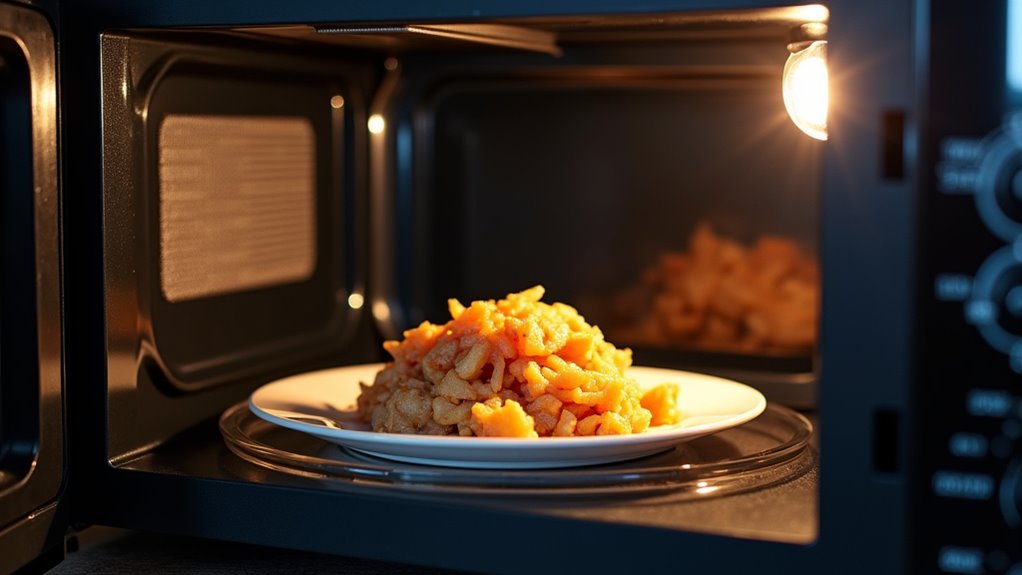
A microwave stops heating because a component that generates the microwaves has failed, a safety switch is not engaging, or a power supply issue prevents the magnetron from running. Simple settings like cook mode or power level can also prevent heating. Door latch or door switches often cause the oven to run the fan without producing heat. Faulty high-voltage diodes, capacitors, or the magnetron itself are common technical culprits. Start with settings and the door, then move on to electrical and component checks.
Why Your Microwave Stops Heating
Whenever your microwave lights up, the turntable spins, but your food still comes out cold, that can feel maddening. You’re not alone, and this usually means the oven has power, but the heating system has stopped.
A failed magnetron often causes this, and a replacement can run $100 to $150 plus labor. In case the high-voltage diode or capacitor fails, the microwave could still look normal while the heat disappears. A bad door interlock switch can also block heating. In some cases, a blown thermal fuse or HV fuse does the same job.
Before you open anything, check your microwave warranty, settings, Delay Start, and Control Lock. Also, make sure you’re using a dedicated outlet, because low power draw can matter too.
Check the Easy Fixes First
Start with the simplest checks, because they often save you time, money, and a whole lot of frustration. Try power cycling first: unplug your microwave for 10 minutes, then plug it back in and examine it again. That quick reset can clear a stuck demo or sensing mode.
Next, do outlet verification. Make sure the microwave uses a dedicated grounded outlet, not a power strip, and watch the light and turntable. If they work but the food stays cold, the problem might sit deeper.
Also, confirm the door latches fully and check for blown fuses near the converter. These small fixes are cheap and often easy to spot. Should nothing change, you’re not alone, and it’s smart to call a qualified technician.
Microwave Not Heating? Check the Door Switch
Assuming your microwave still lights up and spins but the food stays cold, the door switch is a smart place to check next.
Your microwave usually uses 2 to 4 door microswitches, and all of them must agree the door is shut before heating starts. In the event one fails, the lamp, fan, and turntable can still work, yet the magnetron stays off.
You may notice food heats only when you press the door, or that a child lock seems fine but the oven still acts stubborn.
Hinge wear can also throw the latch off.
To examine the switch, unplug the unit, discharge the capacitor, and check continuity with a multimeter.
Should you be unsure, call a qualified technician or landlord for safe replacement.
Low Power, Delay Start, and Demo Mode
Before you worry about a broken part, check whether your microwave is just set to Low Power, Delay Start, or Demo Mode.
These modes can make the lights and display work while the magnetron stays off, so it can look like the oven’s acting stubborn.
A quick look at the power level and timer, plus a reset using your manual, can save you a lot of stress.
Low Power Settings
Low power settings can make a microwave seem like it’s not heating at all, even though it’s actually working as designed. Whenever you choose 10% to 30%, the oven uses microwave cycling and power modulation, so the magnetron turns on and off to soften the heat. That can feel odd, but it’s normal.
- Check the power level initially.
- Watch for demo or lock icons.
- Make sure you pressed START.
- Read the display for a countdown.
If the timer runs but the food stays cold, your model could be in Demo Mode, which lets the lights and turntable work without heating. Also, some ovens need one final button press after settings. So, prior to you worry, confirm the display and owner’s manual.
Delay Start Timer
Sometimes the microwave looks busy even although it isn’t ready to cook yet, and that can be confusing. Should you set a Delay Start timer, you’ve asked for scheduled cooking later, so the oven powers up but waits before heating.
A low power setting can also make it seem quiet, because the magnetron turns on and off instead of running nonstop. In a demo mode, the lights, turntable, and clock might work, but no heat reaches your food.
Demo Mode Lock
A microwave can look alive while it quietly refuses to heat, and that usually points to a special mode or setting that’s still in control.
- In case you see retail demo, the display, lights, and fan might work, but the magnetron stays off. Check your manual for the exit steps.
- Should you picked a very low power level, like 1 or 2, the oven might only pulse heat. That can make dinner feel stuck.
- When Delay Start is on, the clock counts down while heating waits. Look for a timer icon.
- Assuming control lock is active, your commands won’t start cooking. Hold Stop/Clear, or the lock key, for 3 to 5 seconds.
Were you unsure, unplug it for 10 minutes. That often clears the mode and brings heat back.
Why the Timer Runs but Food Stays Cold
Should your microwave’s timer runs all the way down but your food stays cold, the problem usually sits in the heating system, not the clock. Initially, check settings. Control Lock, Demo mode, low power, or a stuck sensor cycle can make it seem busy while it skips heat. Provided the display looks normal, your user habits might still matter, since quick rechecks often save you time and support energy efficiency.
Next, watch for parts that let the lights and plate work but block heat. A bad door switch, blown high-voltage fuse, or failed diode or capacitor can stop power from reaching the heating circuit. In case those pass, the magnetron could have failed. That part generally needs a pro, and you’re not stuck guessing alone.
Magnetron Failure: The Main Heating Part
The magnetron is the part that makes the microwave energy that heats your food, so whenever it fails, you can still see the light and hear the fan while the meal stays cold. You could notice a loud pop, a burning smell, or even a blown fuse, which are all signs that this key part has gone bad. Since magnetrons work with dangerous high voltage, a qualified technician should inspect it and help you decide whether repair or replacement makes more sense.
Magnetron Role in Heating
Whenever your microwave runs but your food stays cold, the magnetron is often the part to blame. You rely on it to turn power into 2.45 GHz waves inside the microwave cavity, and those waves do the real heating. With solid magnetron cooling, the part stays protected while it works.
- It takes DC power and makes microwave energy.
- It sends that energy into the cavity.
- Should it fail, the oven might still run.
- Then you get noise, smell, or a blown fuse.
You’re not stuck guessing alone. A technician can check continuity with a multimeter and look for damage. Since live high-voltage testing is risky, professional repair is usually the safest path. Replacement parts often cost $80 to $150.
Signs of Magnetron Failure
Should your microwave powers on but your food still comes out cold, a failed magnetron is often the reason, and that can feel frustrating fast. You could notice the lights, fan, and turntable still work, yet no heat shows up. That pattern points straight to the heating core. A loud pop, a sharp burning smell, or other age related indicators can make the clue even stronger, especially in units over 8 to 15 years old.
During a careful visual inspection, you might also see no obvious damage, which doesn’t rule it out. Once the magnetron fails, the microwave usually loses heating completely while the controls stay normal. So in case you’re part of this club, you’re not alone, and the symptom is usually clear.
Replace or Repair Magnetron
Should your microwave still lights up, spins, and hums but won’t heat, the magnetron is often the part that needs attention. In case it’s failing, you’re not alone, and you’ve got two paths:
- Check the age initially, since many magnetrons last 10 to 15 years.
- Ask for a cost comparison, because parts could run $80 to $200.
- Add labor, since service can double the bill fast.
- Review disposal options, because old magnetrons need safe handling.
A shorted filament, overheating, or a pop sound can point to trouble. Still, this repair means high voltage, a charged capacitor, and even beryllium-oxide risk. So you should lean on a qualified technician.
In case your oven is older or close to a new-unit price, replacement might fit your budget and your peace of mind better.
When the Diode or Capacitor Fails
Should the diode or capacitor fail, your microwave can still light up, spin, and hum, but it won’t make the high-voltage power the magnetron needs to heat your food.
You might feel stuck, but this fault is common and fixable. With diode checking, you can check for an open or shorted diode, and capacitor safety matters because the part can hold a dangerous charge even after unplugging.
The capacitor works with the diode to build the kilovolt pulse that drives microwave heating.
Were either part to fail, the oven loses that charge path and stays cold. A blown HV fuse can point to this problem too.
Replacing a bad diode or capacitor often restores heat, but because of stored energy, professional help is the safer path.
Blown Thermal Fuse and Fuse Problems
A blown thermal fuse can stop your microwave just as completely as a bad diode or capacitor, but it works in a different way.
You might feel stuck, yet this small part protects you from heat damage.
Here’s what to check:
- Look for thermal degradation near the fuse.
- Check continuity with power off and the capacitor discharged.
- Replace it only with the exact rated part.
- Watch for blocked vents or a weak fan, since those can cause repeat failure.
Unlike a glass fuse, this one-time safety part won’t reset.
If it opens, your magnetron loses power.
That’s why the replacement warning matters so much: a wrong part can leave you back at square one.
For safety, let a qualified technician handle it when possible.
What Burning Smells and Rumbling Noises Mean
That odd smell and deep rumble can tell you a lot about what’s going on inside your microwave.
If you notice a persistent burning odor, stop it right away and unplug it, because odor diagnostics often point to a failing high-voltage part, like the transformer, diode, or capacitor, overheating or arcing causes.
A rubbery or chemical smell can mean insulation is melting or the magnetron is breaking down, which can turn risky fast.
When you hear loud rumbling or heavy humming and the food stays cold, the magnetron or transformer may be struggling under load.
If the noise comes with a pop, flash, or burning scent, you’re likely seeing arcing inside the cavity. Don’t keep experimenting with it. Get a technician or management involved.
How to Test the Door Switch, Diode, and Magnetron Safely
Before you examine anything, unplug the microwave and discharge the high-voltage capacitor so you stay safe around stored power.
Then check the door switches with a multimeter, evaluate the diode for one-way flow, and measure the magnetron for a short to the chassis.
Should any reading look wrong, stop and call a qualified technician, because this is one repair where guesswork can bite.
Door Switch Checks
Whenever your microwave still lights up or spins the tray but won’t heat, the door switch and a few key high-voltage parts are worth checking next. To begin, follow your safety checklist: unplug it and discharge the capacitor before you touch anything. Then look at latch alignment and inspect the door latches for wear or bending.
- Open and close the door slowly.
- Watch that each switch clicks cleanly.
- Use a multimeter on continuity with power off.
- Replace any switch that stays open or flaky.
Most microwaves use 2 to 4 switches, and one bad switch can block heating while everything else seems normal.
Provided the switch checks pass, move on carefully to the next parts. Should anything feel unclear, pause and call a qualified technician.
Diode Testing Steps
Now that you’ve checked the door switches, you can move to the high-voltage parts with care and patience.
Unplug the microwave, wait 10 minutes, then discharge the capacitor with an insulated tool or by the maker’s procedure.
Next, examine the diode with a multimeter on diode mode or a high-voltage tester. Watch diode polarity: one direction should show a forward drop or low resistance, and the other should read open. If results look odd, use leakage testing with HV-rated gear, since some faults hide well.
Then check the magnetron. You should read a few ohms between filament terminals, and infinite resistance from each terminal to the metal chassis.
If anything checks wrong, stop and call a qualified technician. You’re not alone here.
Magnetron Safety Test
Carefully check the door switches, diode, and magnetron so you can spot the real problem without taking extra risks. Start with your safety checklist: unplug the microwave, wait 10 minutes, then discharge the high-voltage capacitor with an insulated resistor tool. Wear personal protective equipment before you open the case.
- Assess each door switch with a multimeter.
- Look for closed continuity when the door latches.
- Check the diode for one-way conduction.
- Measure the magnetron filament and chassis resistance.
These noninvasive diagnostics help you rule out the easy faults initially. In case the light and fan run but heating stops, a bad switch could block the high-voltage circuit. In the event the diode or magnetron reads outside spec, stop. For remote troubleshooting at home, don’t guess; call a qualified technician.
Repair, Replace, or Call a Technician
When your microwave still lights up, hums, and spins the plate but refuses to heat, you’re usually looking at a repair option, a safety option, or both.
Initially, check simple settings like Demo or Control Lock, full power, and Delay Start. Then consider warranty considerations and energy efficiency before you spend a dollar.
Should you know high-voltage safety, you can try a 10-minute reset and examine low-cost parts like the door switch, fuse, or diode.
In the event the magnetron, capacitor, or transformer is involved, step back. Those parts can bite hard, even when the plug looks innocent.
In case you’re unsure, call a trained technician, and should the microwave be over 10 years old or repair costs reach half a new unit, replacing it usually makes more sense.
Frequently Asked Questions
What Causes a Microwave to Stop Heating up Food?
A microwave usually stops heating because of magnetron failure, diode fault, blown fuses, bad door switches, or low power settings. You can check outlets, door locks, and demo mode initially, then call for repair.
How to Fix a Microwave if Not Heating?
Unplug it, then try a cup of water. You’ll feel like the microwave is staging a tiny rebellion. Check the door switch and control panel, then call a pro if it still will not heat.